Browser performance guru, Nat Duca, has introduced high resolution timing to JavaScript. Ready to try in Chrome 20, the experimental window.performance.webkitNow() interface provides microsecond resolution and guarantees not to flow backward (monotonically nondecreasing).
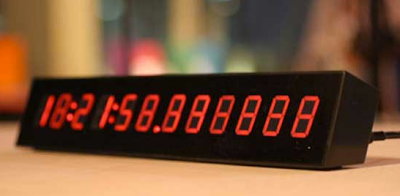
Microseconds matter
Until now, creating a new Date object and querying its time was the only way to measure elapsed time on the web. Depending on the browser and OS, Date's resolution can be as low as 15 milliseconds. One millisecond at best. As John Resig brought to note, that isn't sufficient for benchmarking.
Mono-what-ic?
Perhaps less often considered is that Date, based on system time, isn't ideal for real user monitoring either. Most systems run a daemon which regularly synchronizes the time. It is common for the clock to be tweaked a few milliseconds every 15-20 minutes. At that rate about 1% of 10 second intervals measured would be inaccurate.
Try it out
Like Date, now returns a number in milliseconds. Unlike Date, now's value is:
- a
doublewith microseconds in the fractional - relative to the
navigationStartof the page rather than to the UNIX epoch - not skewed when the system time changes
If you're using Date for any performance measurement, add this shim to upgrade to performance.now() with a fall back to Date for older browsers.
window.performance = window.performance || {};
performance.now = (function() {
  return performance.now       ||
         performance.mozNow    ||
         performance.msNow     ||
         performance.oNow      ||
         performance.webkitNow ||
         function() { return new Date().getTime(); };
})();


10 comments:
If you are benchmarking things that take less than a few ms you will find that the power saving logic in the OS will run your program at greatly reduced speed. Your wil be measuring performance that is much lower than a real CPU intensive program will see (where the CPU would be running full speed).
Of course you may be 'lucky' and run your microbenchmark at a moment where the CPU is at full speed for other reasons. So you can see big variation.
It's not enough to plug in your laptop. It is still slowing down the CPU to save power/heat.
Given that performance.now is relative to navigationStart, shouldn't you be subtracting navigationStart from the Date() fallback?
@Philip: Good catch! As long as you’re using it to compare two values though, it doesn’t matter.
If you do not change the window.performance object at all, this shall work:
var now = (function() {
var perf = window.performance || {};
var fn = perf.now || perf.mozNow || perf.webkitNow || perf.msNow || perf.oNow;
// fn.bind will be available in all the browsers that support the advanced window.performance... ;-)
return fn ? fn.bind(perf) : function() { return new Date().getTime(); };
})();
(This will be useful in extension's content scripts & bookmarklets that do not want any change anything on the original page)
It sounds promising.
Can I use that in a Web Worker?
Thank you, thank you, thank you -- we needed microsecond precision now.
I've found GPU accelerated web browsers on fast i7 systems are able to execute tasks in sub-millisecond consistencies, so I've been banging my head against the millisecond precision limit. You just help the browser world blow past this millisecond limitation, so this simplifies my life.
It is really cool.
Thhanks for a great read
The discussion of high-resolution timing highlights an important detail in JavaScript performance work: accurate elapsed-time measurement can make a significant difference when benchmarking or monitoring real user behavior. The distinction between ordinary system time and a monotonic timing source is particularly useful because even small clock adjustments can affect measurements.
The explanation of window.performance.webkitNow() also shows how timing precision can be improved beyond the limitations of creating a Date object. Understanding these browser APIs is an important part of developing reliable JavaScript applications, making Javascript Online Training useful for developers who want to work more confidently with browser-level features.
I also like the way the article connects microsecond resolution with practical benchmarking rather than treating precision as an abstract technical detail. A strong foundation through a Javascript Online Course can help developers better understand how JavaScript APIs behave and when a particular timing approach is appropriate.
Post a Comment